Supported head units
PIN codes are for Mercedes-Benz navigation map updates for these multimedia systems:
- HU35 / NTG35 — loading...
- HU45 / NTG45 — loading...
- HU5/5s2 / NTG5/5.2 — loading...
- HU5s1 / NTG5.1 — loading...
- HU55 / NTG5.5 — loading...
- HU6 / MBUX NTG6 — loading...
- HU7 / MBUX NTG7 — loading...
Note: your vehicle must have navigation support (factory navigation / activated navigation option). Asian market vehicles may require a European head unit, active navigation license, or European region conversion.
What you need
- Your car with supported head unit and navigation feature.
- USB flash drive (recommended: USB 2.0), enough capacity for the map package.
- A PC to download navigation files and copy them to USB.
- Stable power during update (engine running or charger recommended).
Tip: some head units are picky with fast USB 3.0 sticks — USB 2.0 is often the most compatible.
Before payment
Please select the correct vehicle details before payment.
The PIN is generated for a specific VIN, head unit, region, and map version.
Required details
Please prepare these details before payment. They are required to generate the correct PIN:
- VIN (17 characters)
- Head unit model — HU55, HU6, or HU7
- Region + map version you want to install, for example: Europe V26
Example:
Z9M1671235L000000, HU6, Europe V26
If something does not match (wrong HU model / wrong region / wrong version), the update can reject the PIN.
How it works (step-by-step)
Make sure your car has navigation
Make sure your car has factory navigation or an activated navigation option. If you are not sure, please contact us on Telegram before payment.
Download navigation files
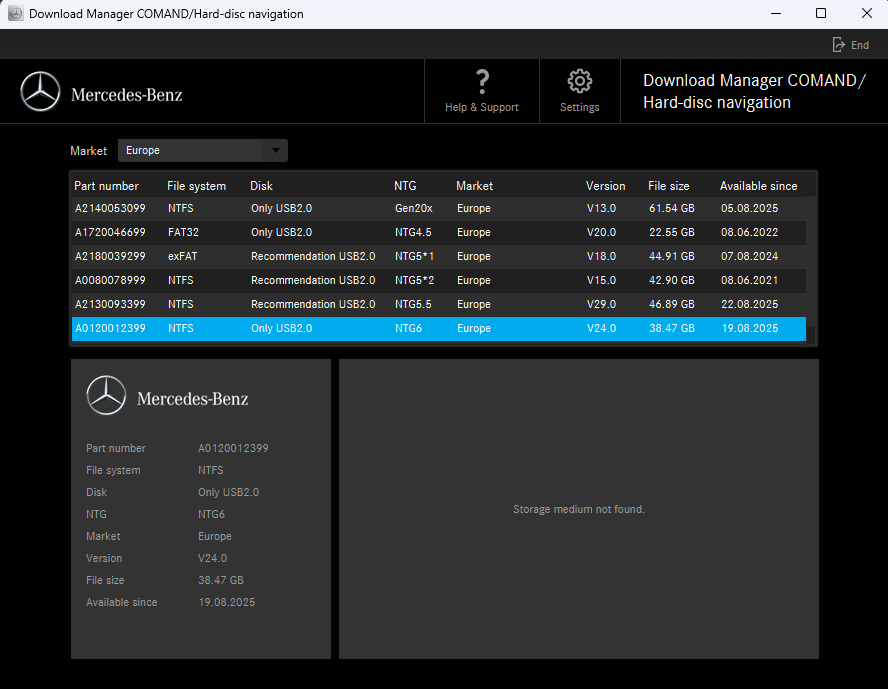
Download the navigation package with Download Manager COMAND Hard-disc navigation to the USB drive exactly as provided. Do not rename folders or files.
Make sure the flash drive is correctly formatted.
The Navigation Download Manager link is sent to you by email after purchase, and is also available on the success page and in your account order history.
Purchase the PIN
Before payment, select your head unit, region, map version, and enter your VIN. After payment, you will receive PIN automatically.
Start update in the car
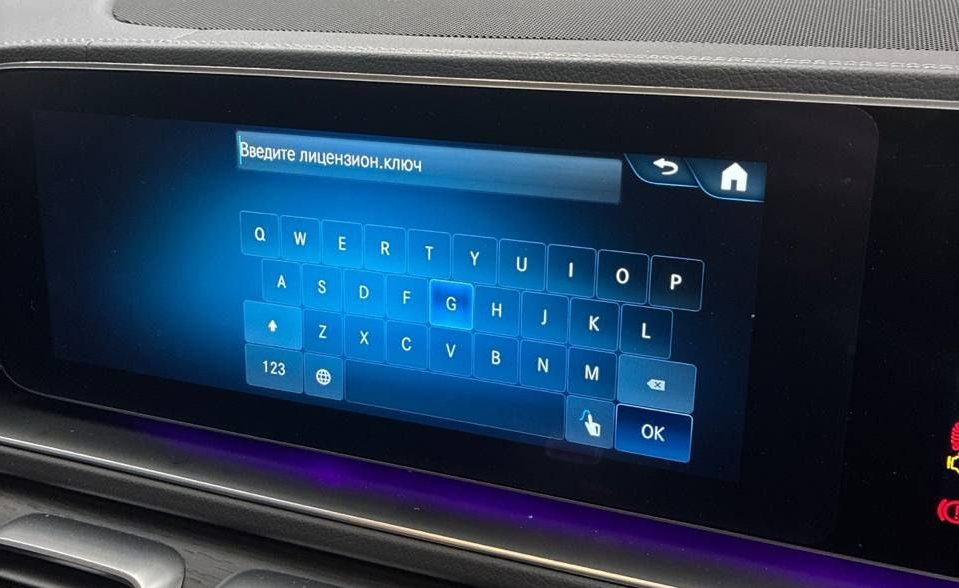
Insert the USB drive into the vehicle. The head unit will detect the update and prompt for a PIN code.
Enter PIN and wait
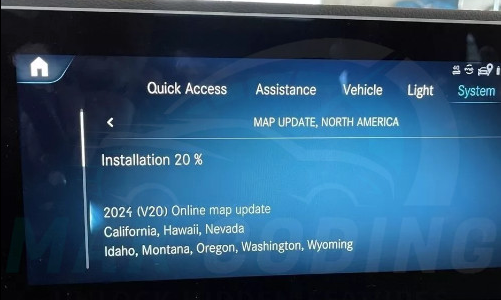
Enter the PIN. Navigation update will start automatically.
Keep power stable. Do not remove USB during the update.
Finish
When the update completes, the head unit will confirm. You can remove USB and use the updated maps.
Screenshots
Some screenshots.
FAQ
Can you generate a PIN for Asian market vehicles for HU7?
Yes, in some cases we can generate a navigation PIN for Asian market vehicles for NTG7. This is possible only if the head unit has already been replaced with a European unit, has an active navigation license, or has been converted/flashed to the European region. Please contact support before payment if you are not sure.
Which info is required to generate the PIN?
VIN (17 characters), head unit model (HU55, HU6, or HU7), and the requested region + map version. Example: Europe V26.
Do I need any special tools or coding?
No. The update is performed by the head unit itself via USB. You only enter the PIN when prompted.
What if my USB is not detected?
Try another USB stick (USB 2.0 recommended), ensure files/folders are not renamed, and use a common filesystem (often FAT32/exFAT/NTFS depending on package). Also try a different USB port if available.
Can I use one PIN for a different car?
No. PIN is generated for a specific VIN and navigation package.
Update stopped / power was interrupted — what now?
Restore stable power and retry with the same USB. Do not remove USB during update; keep engine running or use a charger to avoid voltage drops.
Need help?
If you are not sure about your HU model or map version, contact support and we will help you identify the correct option.