What you need
- Windows 10/11 x64 on a single system.
- Installed and working DTS Monaco 9.xx with projects.
- Stable internet connection during the whole workflow.
- You need to disconnect the fuse HERMES/RAMSES.
- You must have SecOc. We do not provide SecOc service.
Tip: temporarily disable aggressive antivirus rules if they block local services.
How it works (step-by-step)
What does MB-CertManager give me?
MB-CertManager helps you with flashing, date rollback, and coding on new certificate-based vehicles, or more precisely, on control units used in vehicles such as 206, 223, 254, 294, 295, 296, 297, and other certificate-required vehicles.
MB-CertManager is intended for lawful, authorized use only. The customer is responsible for ensuring that any coding, flashing, configuration, or vehicle-related work is permitted under applicable laws, manufacturer rules, and the customer’s own authorization rights.
Purchase & get the program
After payment, you receive an activation key and a download link. The timer starts after first activation.
Download & launch
Download the Star3 client from the provided link. Run as administrator if prompted.
Activation
On the first launch, the Star3 client will ask for an activation key. Paste the key and click “Activate”.
Use Star3 features
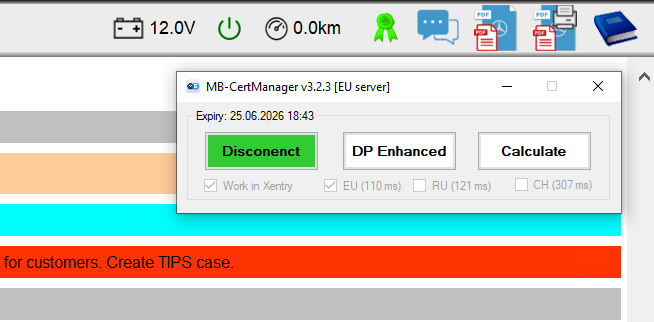
- Connect to After-Sales Enhanced server in the program.
- Connect to the desired vehicle using DTS 9.
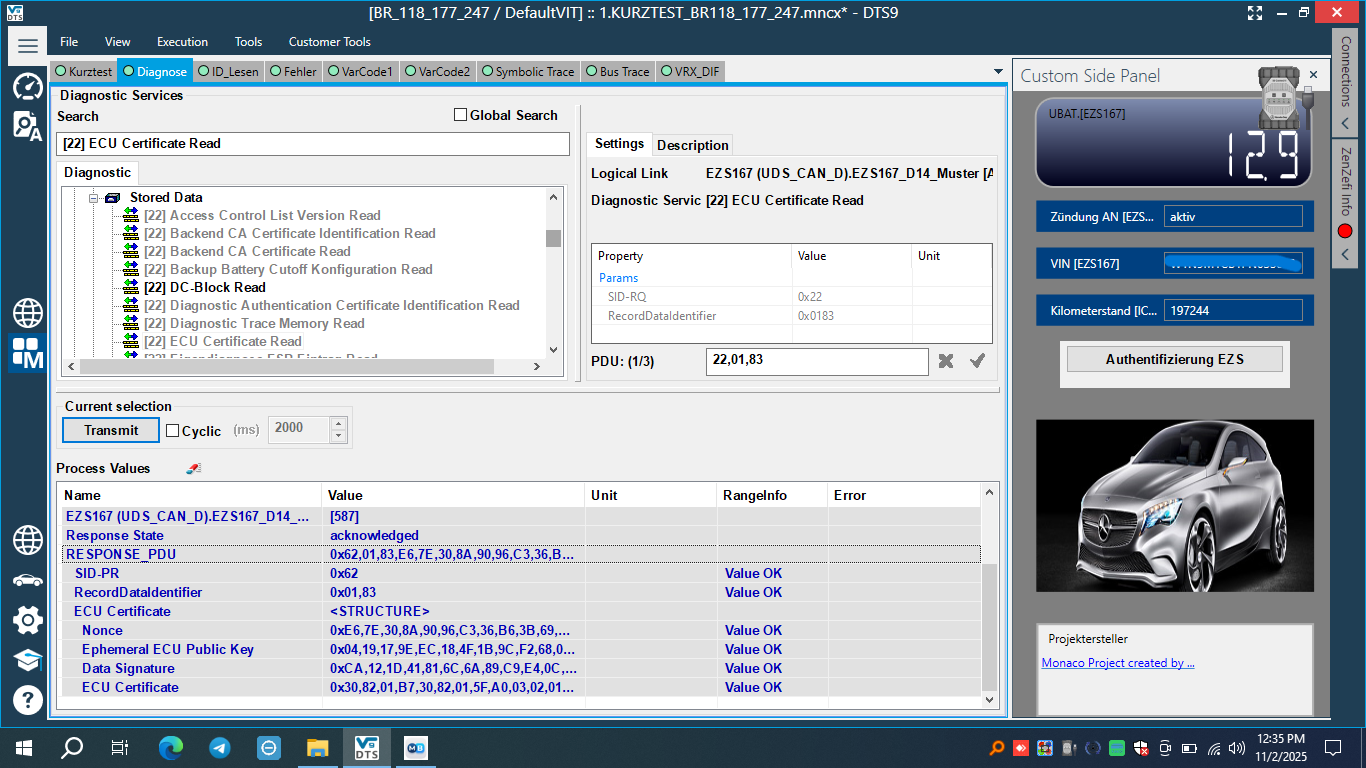
- Run: ECU Certificate Read or send HEX command 22,01,83.
- You should get a RESPONSE_PDU starting with 62,01,83.
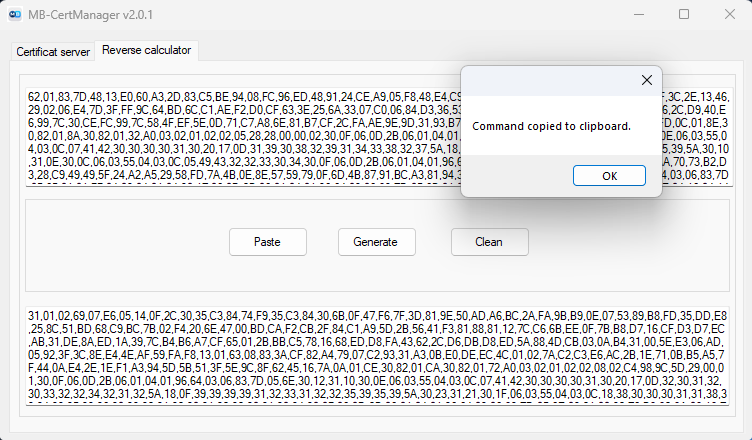
- Copy the ECU response from the previous step and click the Calculate button.
- After a few seconds, usually 5–20 seconds, the reverse command will be generated and copied to the clipboard.
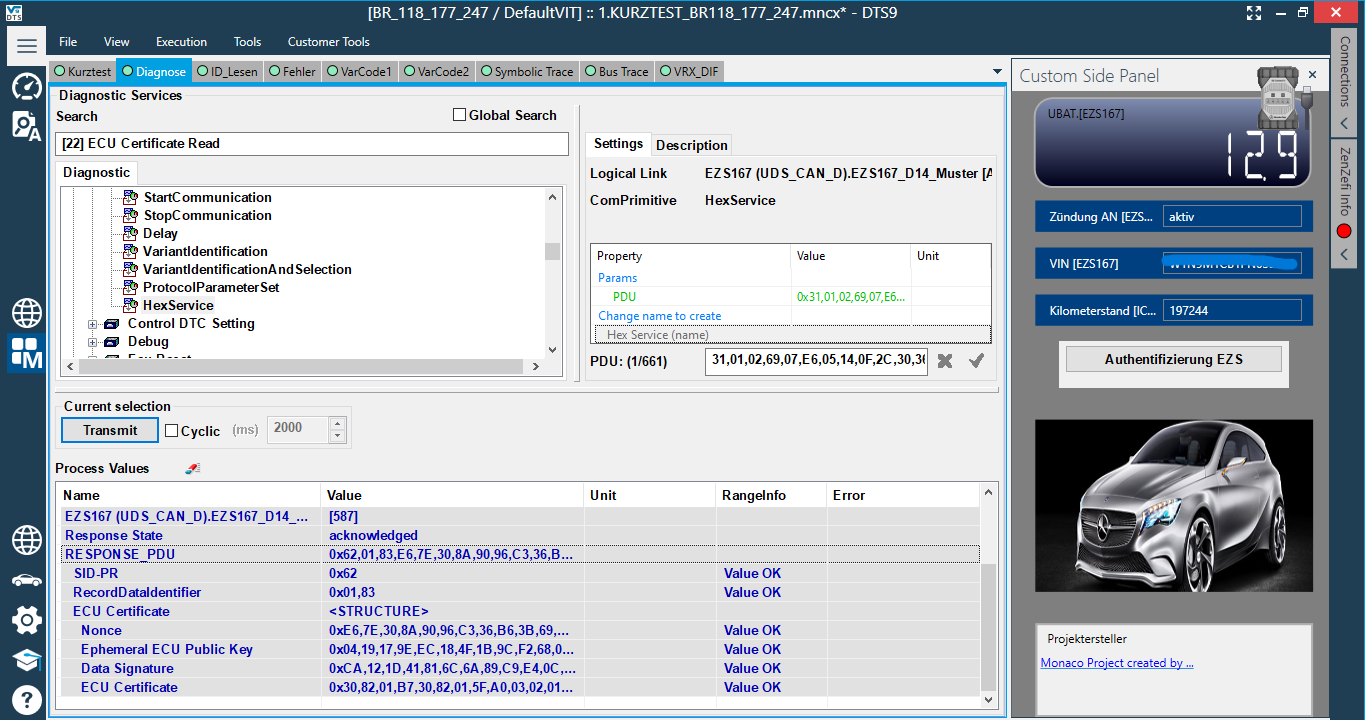
- Switch back to DTS and send the generated text as a HEX command using HexService.
- Disconnect from After-Sales Enhanced server and connect to Development Enhanced server.
- Ready. Continue with your authorized coding job.
- After finishing, SecOc must be performed separately. We do not provide SecOc service.
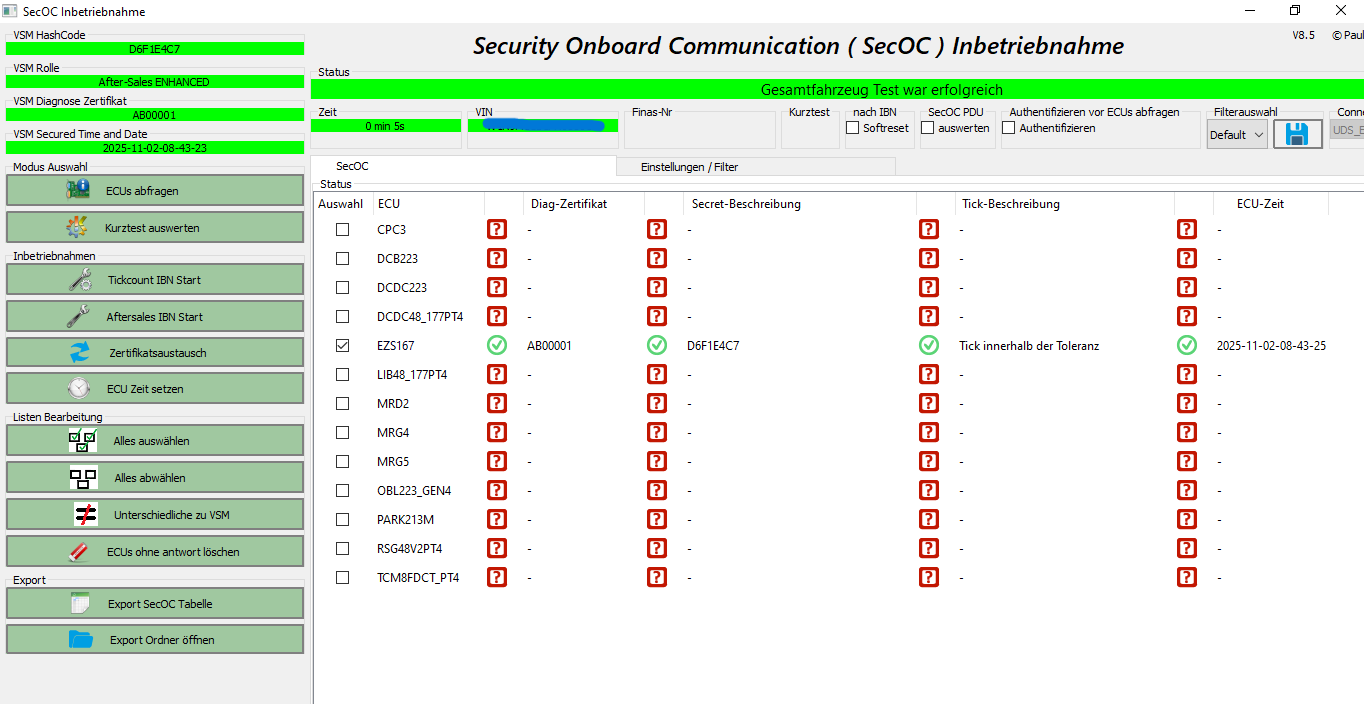
- Open the SecOc project, select the required ECU and perform SecOc, security onboard communication:
-- Select the required ECU.
-- Press ECUs abfragen.
-- Press Aftersales IBN Start.
Extend or renew
When the activation time ends, purchase another activation key and re-activate the program.
Screenshots
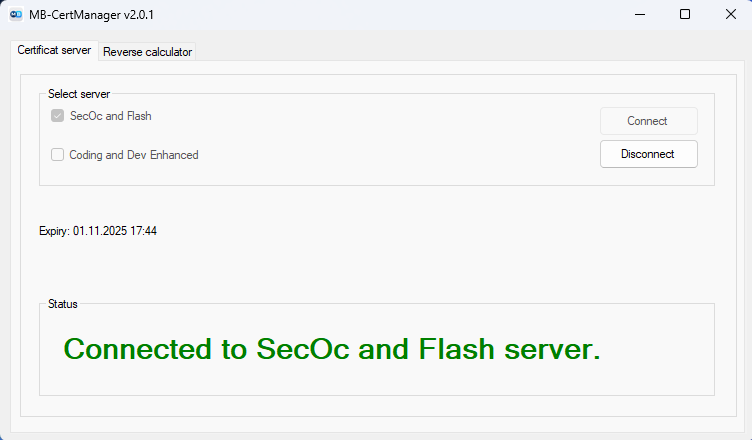
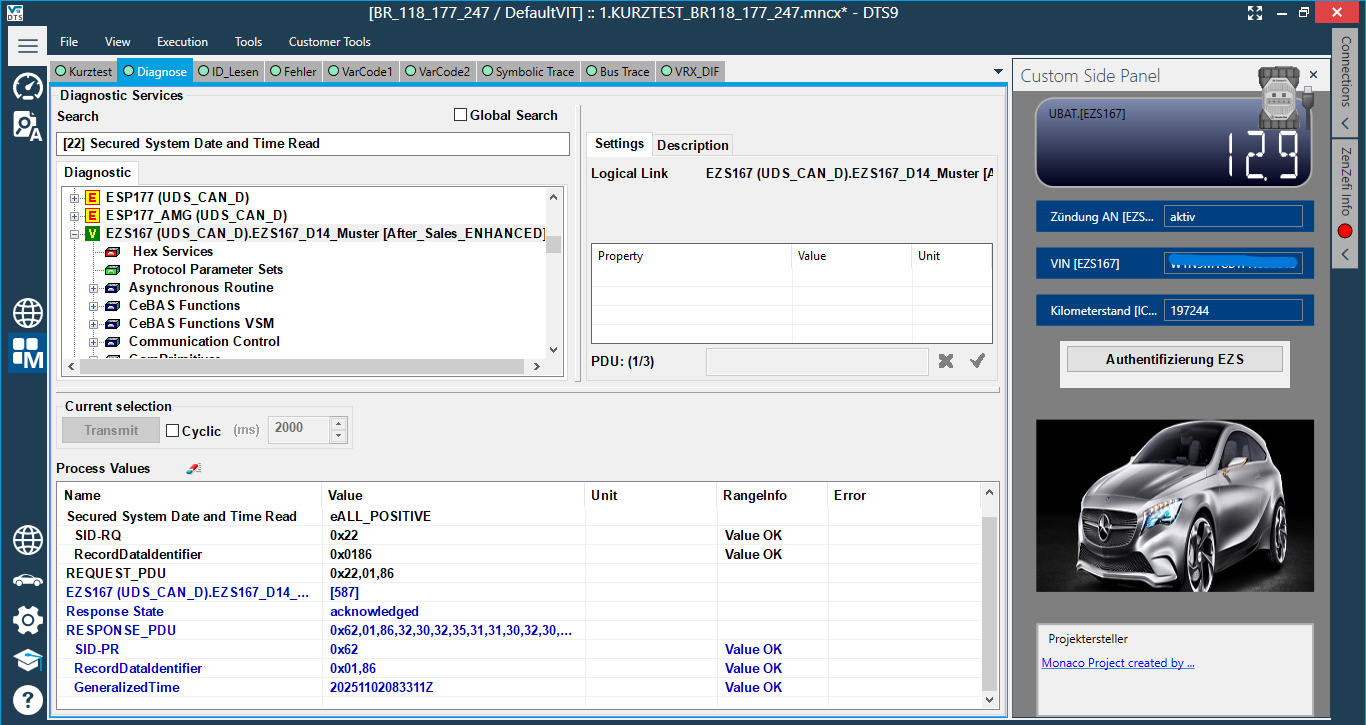
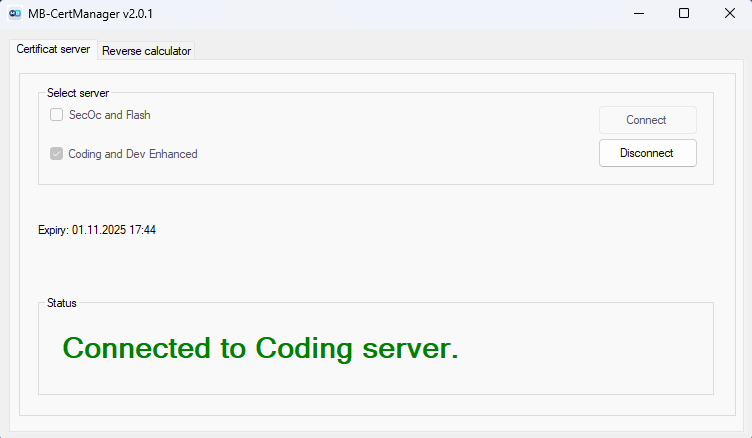
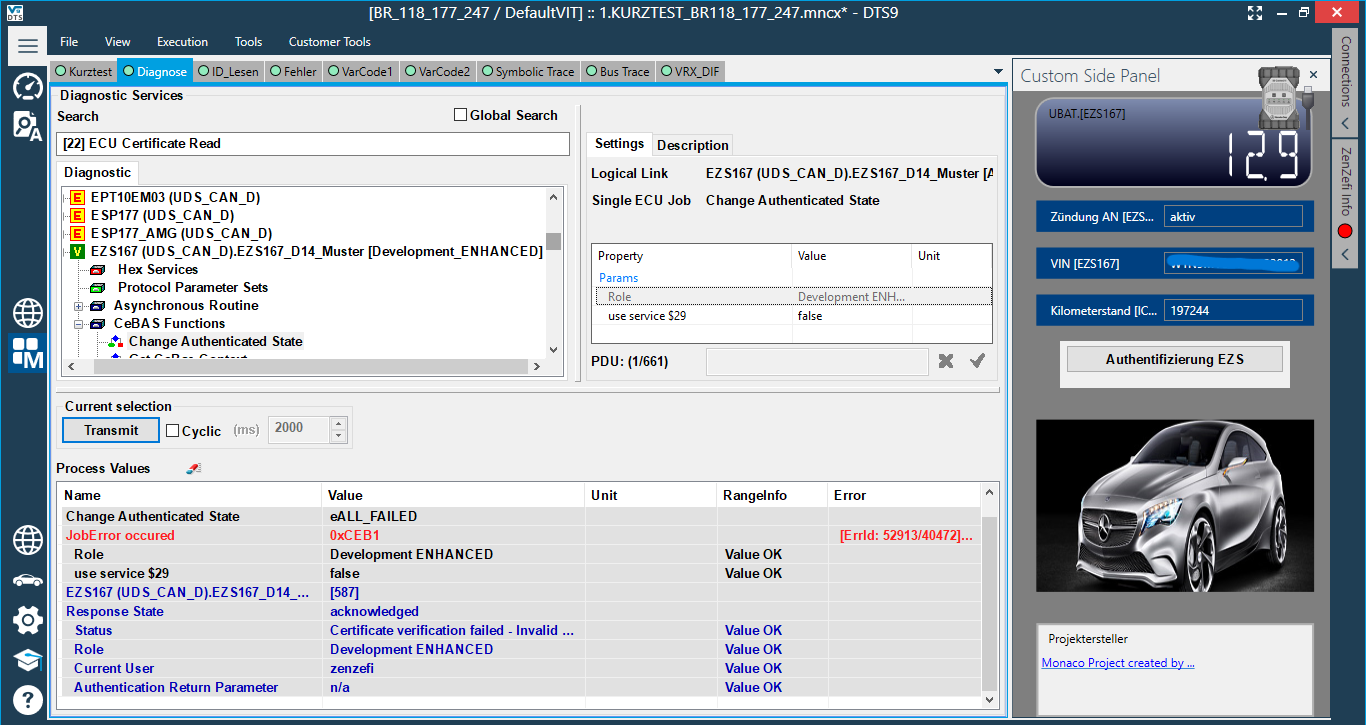
FAQ
Timer start — when exactly?
At the moment of successful activation on your device, first run, not at the time of payment.
Can I move to another PC?
Access is locked to one system at first run. To use another PC, you need to purchase a new activation key or contact the support team.
Can I do remote jobs with this program?
Yes. In this case, run the program and activate it with your activation key on the remote laptop.
The program does not start or does not work
The program requires an active internet connection to our server. If your network blocks the connection, try a different network or a VPN.
Port is already in use
Close conflicting apps, such as VPN/proxy tools, then try again.
Antivirus flags the app
Add Star3 to exclusions or temporarily relax antivirus rules during the working process.
Can I get a coding certificate for W223?
Yes, MB-CertManager gives you coding and flashing functionality for coding and flashing certificate-based vehicles.